Kitchen Cost Pro / Yoco inventory management
Yoco inventory management

Yoco POS inventory management that runs itself.

Connect your Yoco account and every sale and refund flows into Kitchen Cost Pro, deducting the right ingredients and showing live cost of sales and margin, priced in rand.
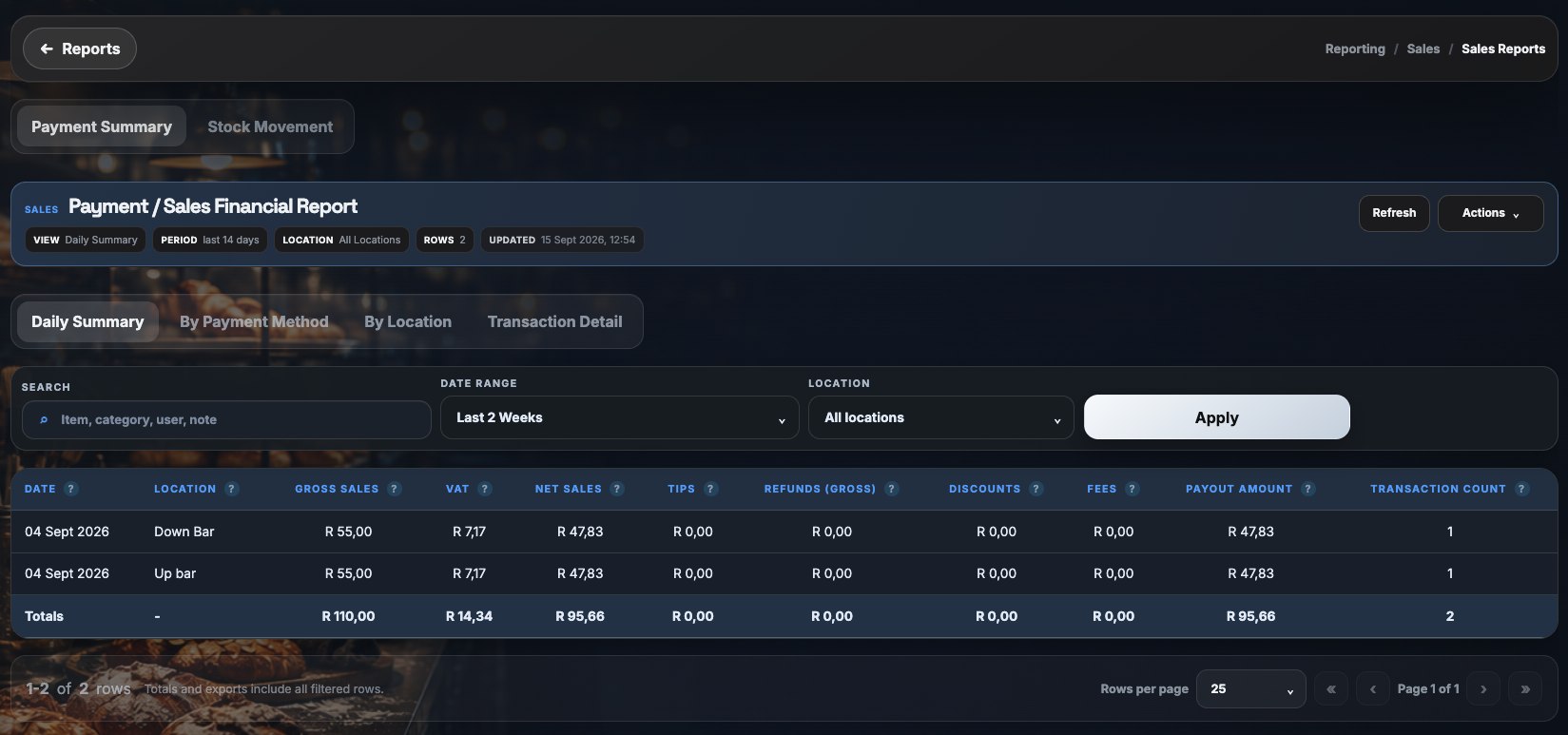
Kitchen Cost Pro payment summary report showing gross sales, VAT, net sales, tips, refunds, discounts, fees and payout

Yoco makes taking payments simple, but it is not built to tell you how much stock you used or what a dish cost you. Kitchen Cost Pro adds that layer on top of your Yoco sales.

Sales and refunds arrive as they happen. Each sold item depletes its recipe ingredients, and payment summaries break down gross sales, VAT, tips, fees and net payout so your sales and stock reports agree.

Live sales and refund sync

Yoco sales and refunds are ingested through webhooks, so stock and reports are current, not a month behind.

Per-location mapping

Map each Yoco location to a Kitchen Cost Pro location so multi-site businesses see each venue on its own and combined.

Built for South African businesses

Rand pricing, VAT-aware payment summaries and plans from R249 per location per month.

Explore more

FAQ

Questions, answered.

Does Kitchen Cost Pro integrate with Yoco?

Yes. Yoco is supported today. Sales and refunds sync live and automatically deplete stock based on your recipes.

Does Yoco have inventory management on its own?

Yoco offers basic product management. Kitchen Cost Pro adds ingredient-level stock, purchasing, recipe costing, stock takes and margin reporting on top of your Yoco sales.

How much does it cost?

Plans start from R249 per location per month. You can book a demo to see it on your own menu and stock list.

See your real food cost, this week.

Book a short walkthrough on your own stock list and menu, no migration required to see the numbers.