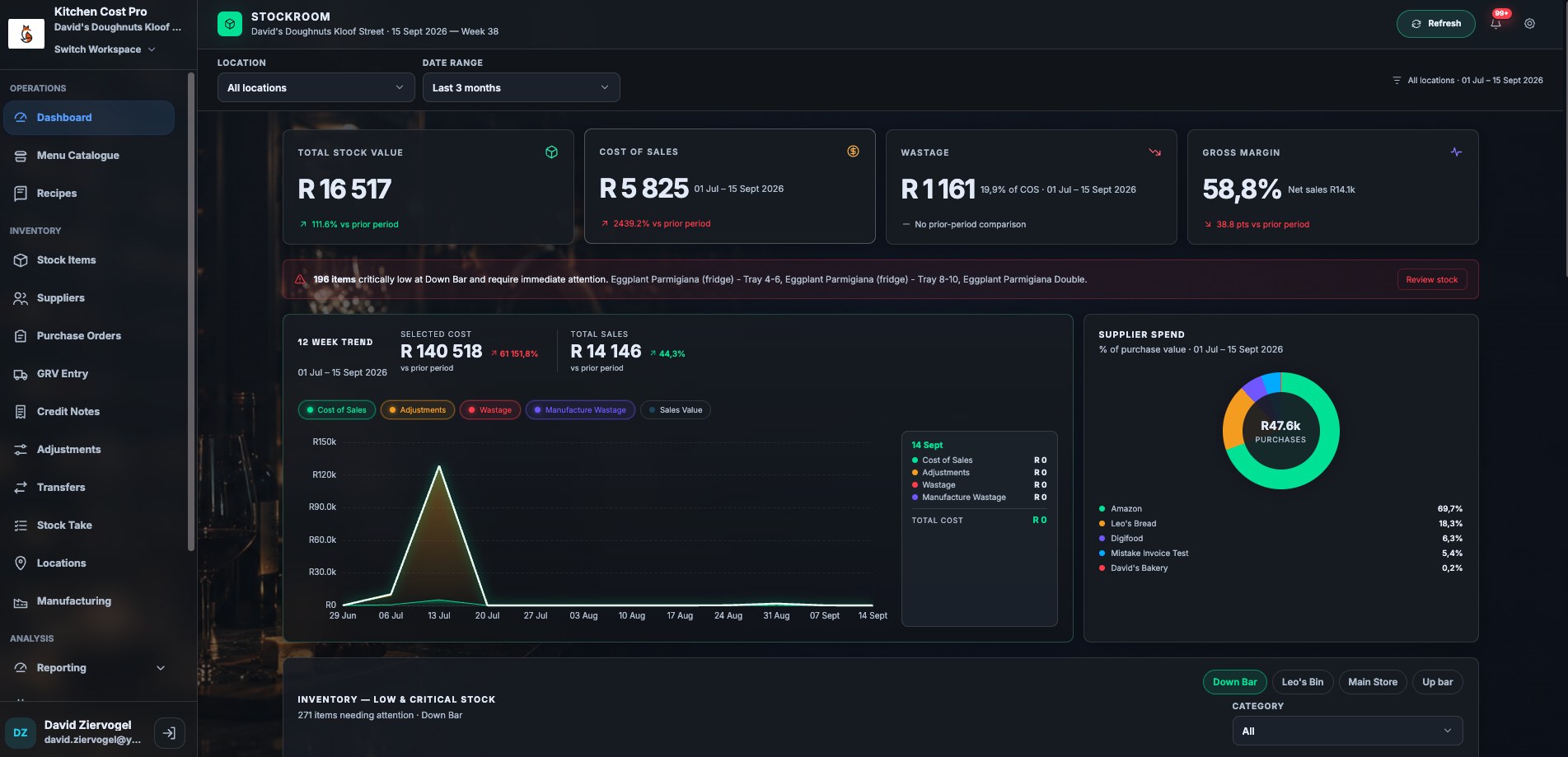
Kitchen Cost Pro connects your POS tills to live stock, recipe costing, and purchasing across every location, so margin isn't something you find out about a month later.
Isolatedworkspace data, never shared across clients
The problem
Spreadsheets don't scale past one kitchen.
Every extra location multiplies the same manual work: stock counts, supplier invoices, recipe math, and reconciling what actually sold against what actually left the storeroom. Scroll to work through them.
📉
Margins found too late
By the time a monthly spreadsheet shows food cost drift, the stock is already gone and the damage is done.
🧾
Sales and stock disagree
POS reports one number, the storeroom tells another story, and nobody has time to reconcile them line by line.
🏢
No single view across sites
Each location runs its own version of the truth in its own file, so head office is always working from a stale rollup.
The platform
Everything between the delivery truck and the till.
Purchasing, recipe costing, production, and POS reconciliation, running on one shared record per workspace.
01 · Stock & Purchasing
Stock that reflects what's actually on the shelf.
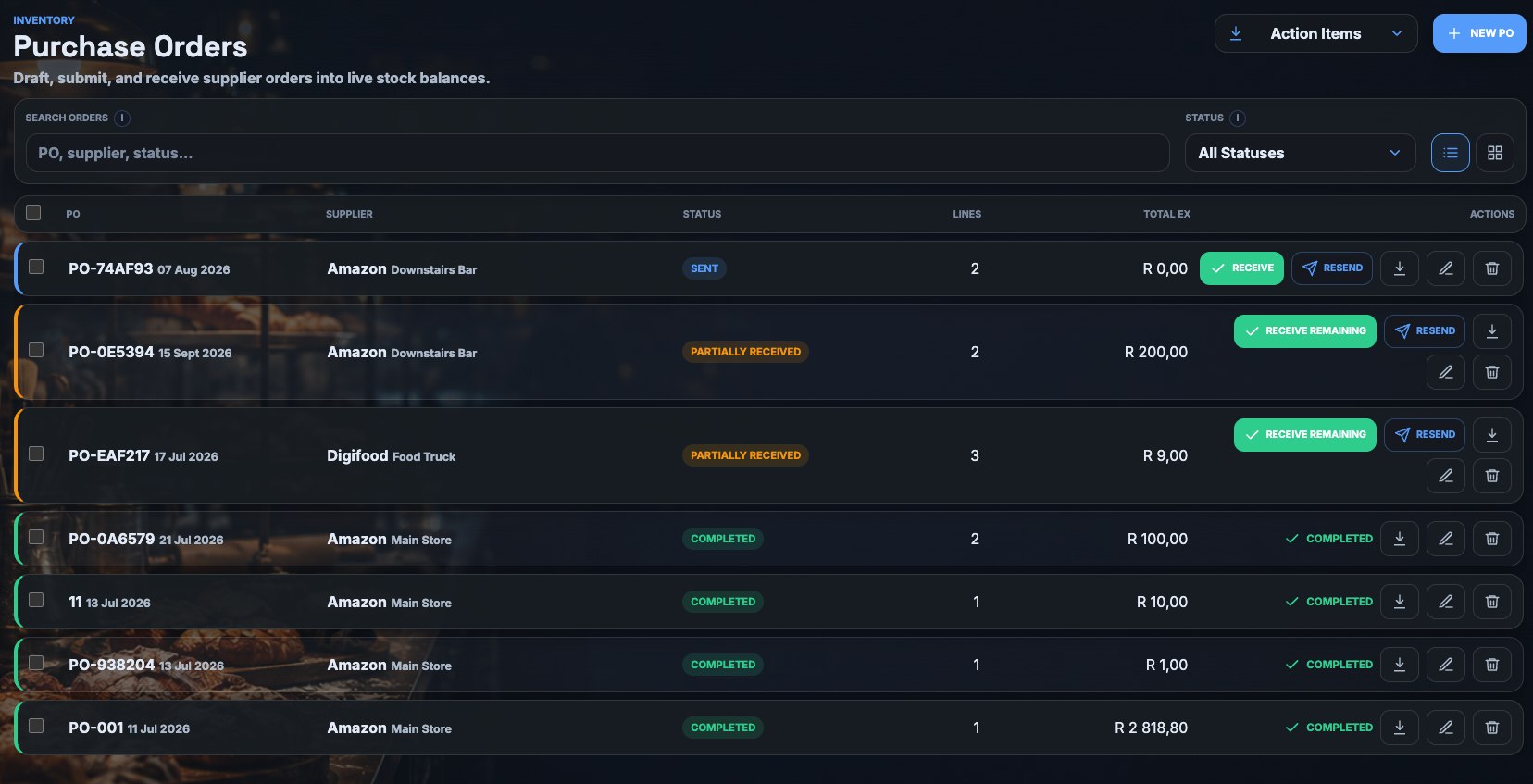
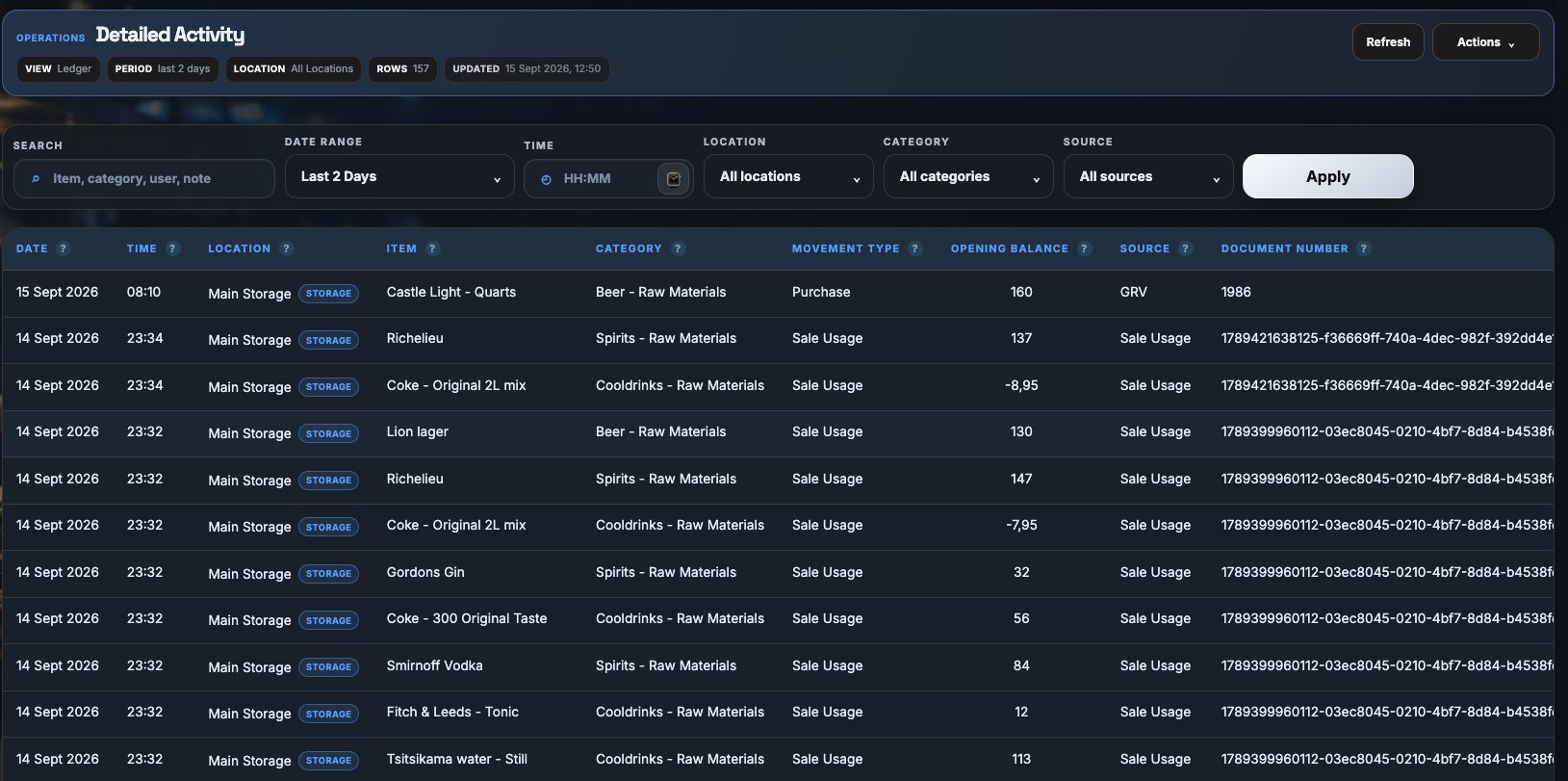
Purchase orders, goods-received vouchers, and credit notes feed one live stock ledger per location, with low-stock alerts before you run out mid-service.
Supplier catalogues and preferred ordering UOMs
Low-stock alerts tuned per item, per site
Credit notes and GRVs reconcile straight to stock
02 · Recipe Costing
Every dish, costed down to the gram.
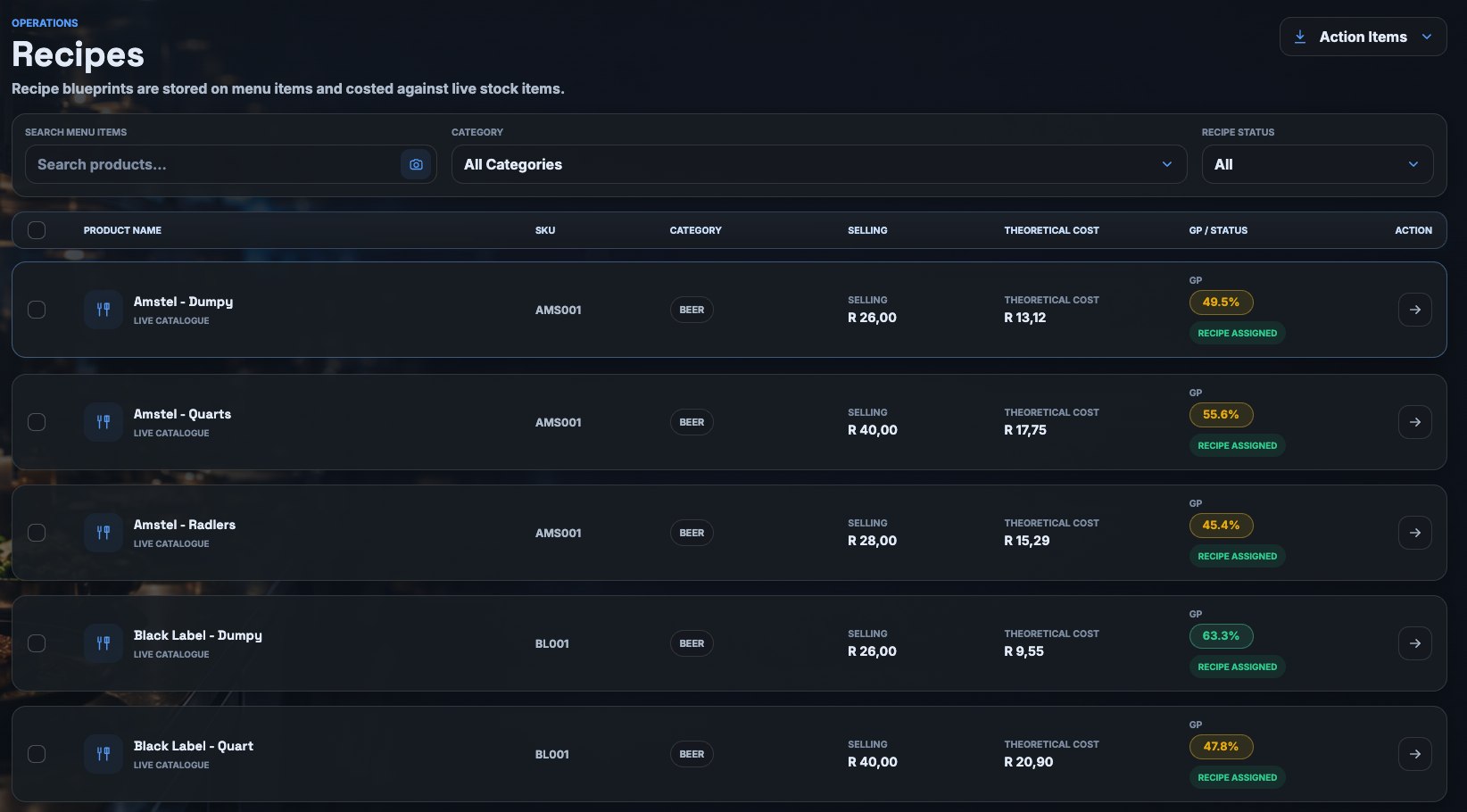
Build recipes from real ingredient costs and custom units of measure, and watch margin recalculate automatically the moment a supplier price changes.
Ingredient-level cost breakdown per menu item
Custom UOM conversions handled for you
Margin updates the moment input costs move
03 · POS Sync
Sales, refunds, and stock stay in step, automatically.
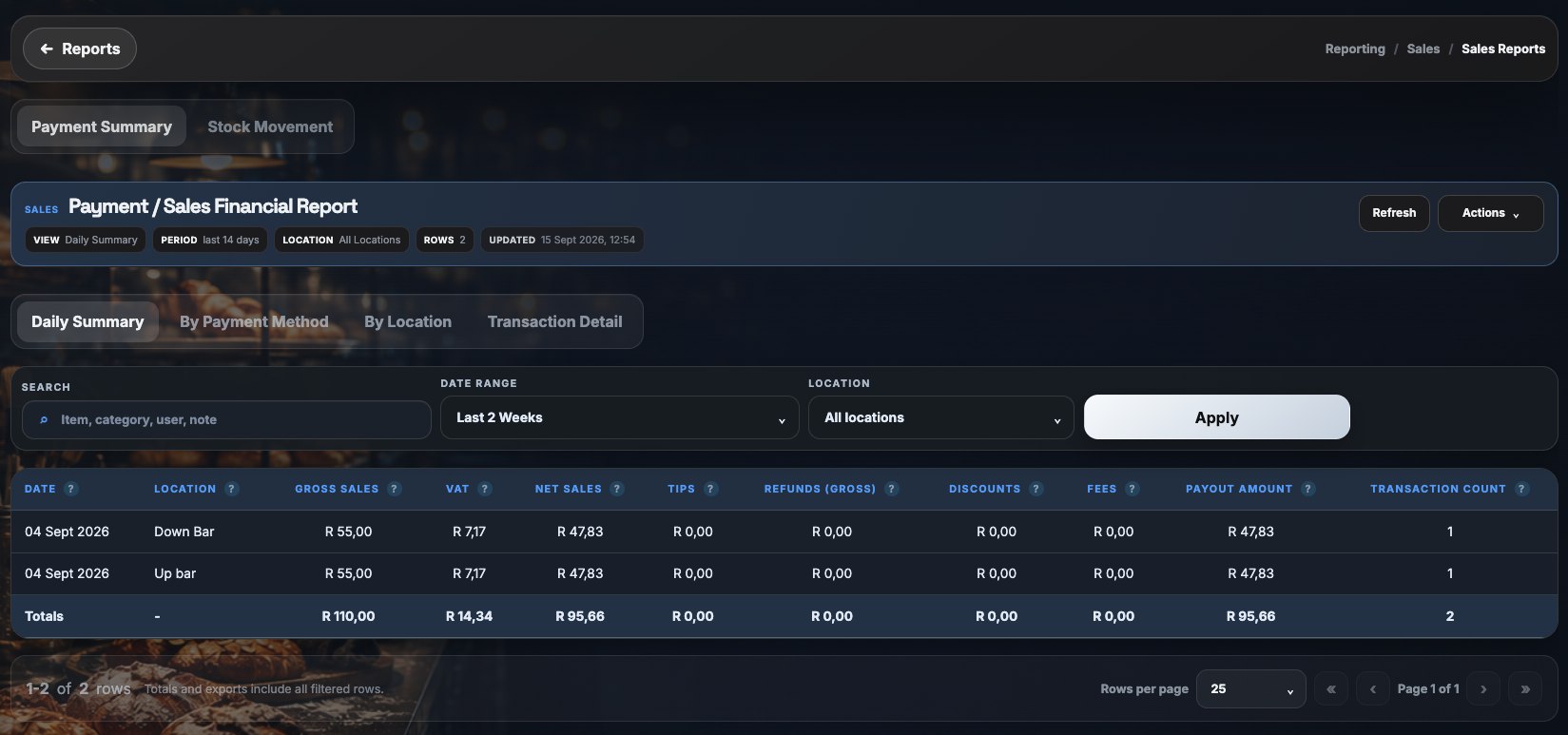
Every POS sale and refund flows straight into reporting and stock depletion through webhooks, reconciled against the same canonical record used across the platform. Yoco is supported todaySquare is supported today, with more POS integrations added on request.
Real-time webhook ingestion of sales & refunds
Automatic stock depletion tied to each sale
Payment summaries: gross, VAT, tips, fees, net payout
04 · Multi-Location Reporting
One rollup, every site, no waiting for month-end.
Dashboards and scheduled reports pull from every location's live data, with exports to CSV, XLSX, and PDF for the people who still want a file.
Cross-location dashboards, updated live
Scheduled reports delivered on your cadence
CSV, XLSX, and PDF export on every view
05 · Stock Takes
Counts your team will actually finish.
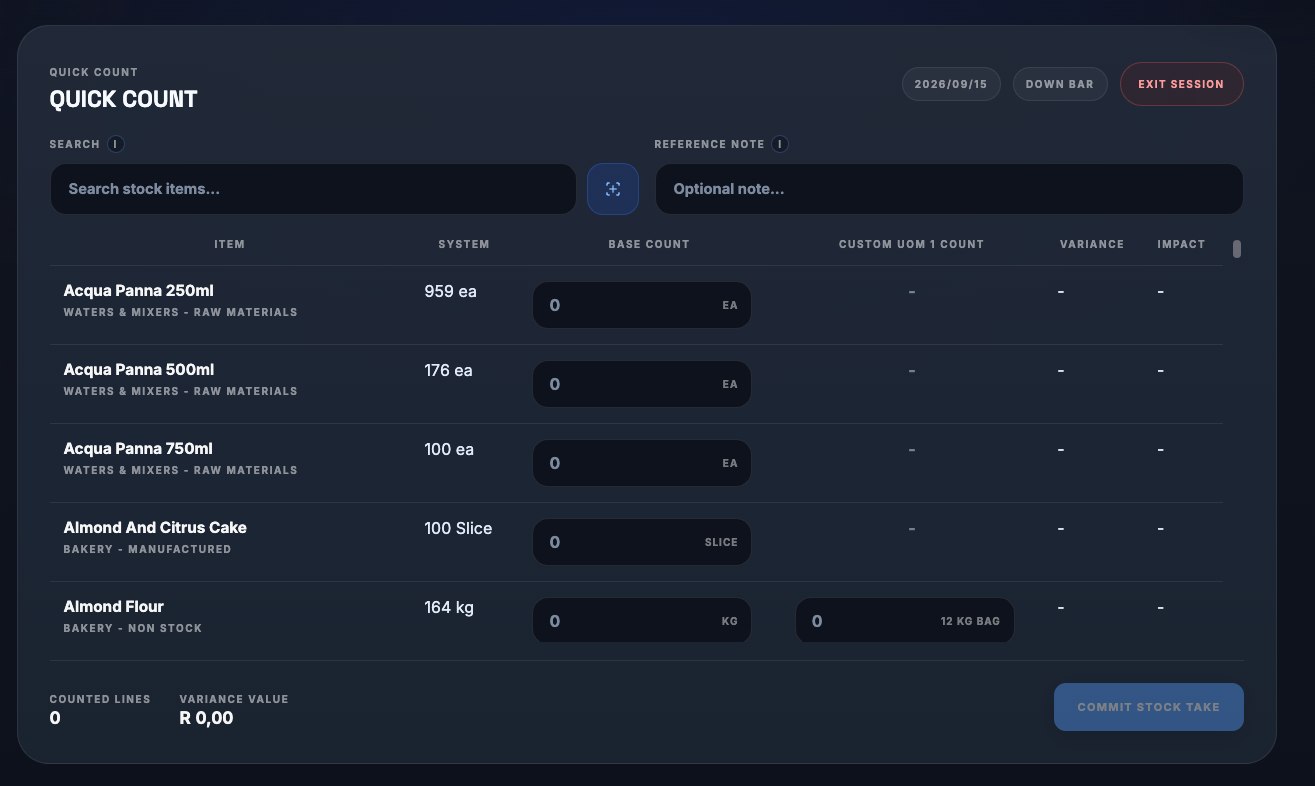
Run a full session count, a quick count, or a bulk barcode scan, save a draft mid-shift, and resume later without losing a single line.
Session, quick-count, and bulk-scan modes
Resumable drafts saved automatically
Variance flagged the moment a count closes
Try it yourself
Cost a recipe in seconds.
This is exactly how recipe costing works inside Kitchen Cost Pro. Build a dish below and watch the margin update live as you change ingredients and price.
No migration project. Connect what you already run, load what you already know, and the numbers follow.
01
Connect your POS
Link each location's POS account. Sales and refunds start flowing in immediately.
Available nowYoco
02
Load recipes & stock
Import your stock list and build out recipes with real supplier costs and units.
03
Get live margins
Every sale depletes stock and recalculates cost automatically, across every site.
Integrations
Works with your POS. Yoco today, more on the way.
Works with your POS. Square today, more on the way.
Kitchen Cost Pro currently syncs sales, refunds, and stock depletion live from Yoco. Running something else? Tell us which POS you use and we'll prioritise it.
Kitchen Cost Pro currently syncs sales, refunds, and stock depletion live from Square. Running something else? Tell us which POS you use and we'll prioritise it.
Yoco · liveSquareLightspeediKhokhaSnapScanZapper
Square · liveYocoToastCloverLightspeed
Also connects to, on the Pro plan
Xero
Google Drive
Gmail
QuickBooksComing soon
Google Drive
Gmail
Gmail sends purchase orders straight to suppliers; Drive and Xero handle document storage and accounting sync.
Gmail sends purchase orders straight to suppliers; Drive and Google handle document storage, with QuickBooks accounting sync on the way.
Margin calculator
See what your margin is really worth.
Drag the sliders to your own numbers, or try the presets to see how much a few GP points move in a single calendar month.
R 300 000
45%
Gross profitCost of sales
Gross profit / monthR 135 000
Cost of sales / monthR 165 000
⚠️
What a poor 20% GP actually costs you
On R 300 000 in monthly sales, a restaurant running at just 20% GP walks away with R 60 000 gross profit for the month, R 135 000 less than the same sales at a healthy 65% GP. That gap is exactly what Kitchen Cost Pro is built to catch before month-end, not after.
Pricing
Two plans, built around how you grow.
Pay per location as you scale, or bundle up to 5 Yoco-linked locations under one flat plan.
Pay per location as you scale — pick Square alone, or Square plus accounting sync.
Standard
Your kitchen, one location at a time.
Everything you need to run stock, recipes, and Yoco sales at a single site.
Last updated: placeholder date, to be set at launch
Kitchen Cost Pro ("we," "us") provides stock, purchasing, recipe costing, and reporting software for food-service businesses. This policy explains what we collect, why, and how it's handled.
What we collect
Account and workspace details you provide: name, email, business name, and location information.
Operational data you enter or import: stock items, suppliers, recipes, purchase orders, and stock takes.
Sales and refund data synced from your connected POS (Yoco or Square), used to update stock and reporting.
Data from optional integrations you connect, such as Xero, Gmail, or Google Drive, limited to what each integration needs to function.
Basic usage and device data (browser type, pages visited) to keep the product working and secure.
Cookies, as described below.
How we use it
To run the core product: stock levels, costing, purchasing, and reporting for your workspace.
To keep your sales, refunds, and stock in sync with your connected POS in as close to real time as possible.
To send transactional messages, such as purchase orders you choose to email to a supplier.
To maintain security, prevent abuse, and troubleshoot issues.
Data isolation
Each workspace's operational data is kept isolated from other workspaces. We do not sell your data or share it with third parties beyond the integrations you explicitly connect and the infrastructure providers needed to run the service.
Cookies
We use cookies to keep you signed in, remember your preferences, and understand how the site is used. You can accept or decline non-essential cookies from the banner shown on your first visit.
Your rights
You can request a copy of your data, ask us to correct it, or ask us to delete your workspace's data, subject to what we're required to keep for accounting or legal reasons.
Contact
For any privacy request, use the contact details provided in your order form, subscription agreement, or onboarding communication.
Placeholder document. This page does not yet contain a verified registered company name, physical address, or public legal email address. Replace this content with reviewed legal copy before public launch.
Last updated: placeholder date, to be set at launch
These terms govern your use of Kitchen Cost Pro. By creating a workspace or using the service, you agree to them.
The service
Kitchen Cost Pro is billed per location, per month. The Standard plan covers a single location with one connected POS (Yoco or Square, depending on your region). The Pro plan adds further integrations, and in South Africa bundles up to 5 locations linked under one Yoco integration (not 5 separate business logins). Pricing shown on this site is current pricing and may change; we'll give notice before any change affecting your account.
Your account
You're responsible for the accuracy of the data you enter, including stock, recipes, and supplier information.
You're responsible for keeping your login credentials secure and for activity under your account.
You must have the right to connect any third-party account (Yoco, Square, Xero, QuickBooks, Google, or otherwise) you link to your workspace.
Third-party integrations
Kitchen Cost Pro connects to third-party services, including Yoco, Square, Xero, QuickBooks, Gmail, and Google Drive, to provide certain features. Those services have their own terms and are not operated by us. We aren't responsible for outages, changes, or errors originating from a third-party service.
Acceptable use
Don't use the service to break the law, interfere with its operation, or attempt to access another workspace's data without authorization.
Cancellation
You may cancel at any time. Fees already paid are non-refundable except where required by law. On cancellation, we retain your data for a reasonable period in case you reactivate, then delete it in line with our data retention practice.
Liability
The service is provided on an as-is basis. To the extent permitted by law, we aren't liable for indirect or consequential losses, including losses arising from third-party POS or integration outages.
Changes to these terms
We may update these terms from time to time. Continued use of the service after an update means you accept the revised terms.
Contact
For any question about these terms, use the contact details provided in your order form, subscription agreement, or onboarding communication.
Placeholder document. This page does not yet contain a verified registered company name, physical address, or public legal email address, or a specified governing law. Replace this content with reviewed legal copy before public launch.

 Yoco
Yoco